

What is Animator extension?
“Animator” is an extension that helps you with creating animations, like moving or rotating a sprite while it looks smooth or adding a bounce to it.
Why do you need Animator extension?
This extension helps you create intros for your project, making cutscenes or animations in Gandi IDE easier, by not needing to do the complicated time consuming and frankly boring math while making the animation smooth.
How to use Animator extension?
🌟Easing functions
The first block is used to generate a value that is changed in a smooth way.
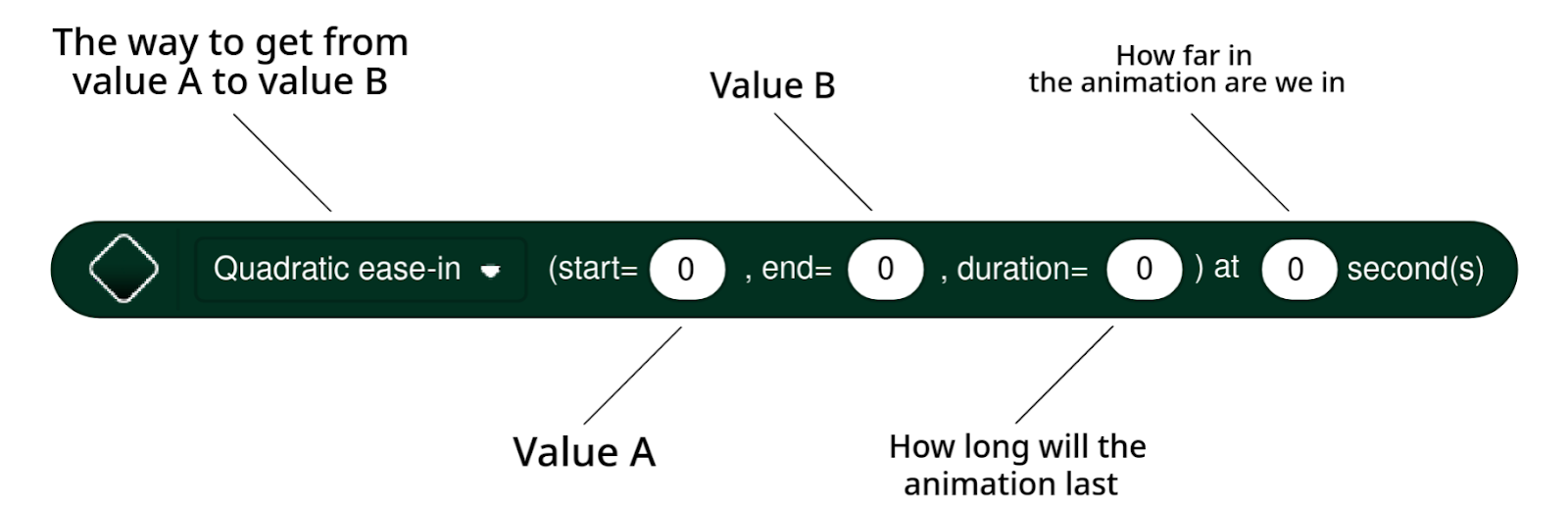
You can write a script like this:
.svg)
.svg)
This block allows you to smoothly move to x and y position within time (in seconds). You can choose multiple ways to change the value.
.svg)
This block allows you to smoothly change any effect from the looks category within time (in seconds).
.svg)
This block allows you to smoothly rotate to direction within time (in seconds).
🪄Effect parameters
.svg)
This block allows you to get which value is any effect from the looks category.
🪲 Issues 🪲
If you use the move to block while using anything with elastic before it the sprite might disappear.
This bug is caused by that if you use any function with elastic before it the value can't be the start value.
so instead of doing this:
.svg)
you need to do this:
.svg)